Selected work / Thought Industries
Better tools for creating and finding learning.
Two parts of one engagement: a complete Sitebuilder redesign for admins, and a new AI-assistant experience for learners.
- Contribution
- Senior Product Designer · External consultant
- Team
- Product managers and development teams
- Status
- Sitebuilder customer testing planned · AI assistant in engineering
In this case study
Sitebuilder: put editing in contextReuse that carries changes across pagesAI assistant: turn intent into visible choicesKeep discovery connected to the next actionSitebuilder: put editing in context
Customer feedback described difficult editing, limited native customization and repeated work across pages. I redesigned Sitebuilder around the relationship between the widget library, the page canvas and a contextual inspector.
The goal is to make it easier to find something, place it on the page and understand what can change. The existing product already had previews, widget search and code customization; the redesign focuses on how those capabilities come together.
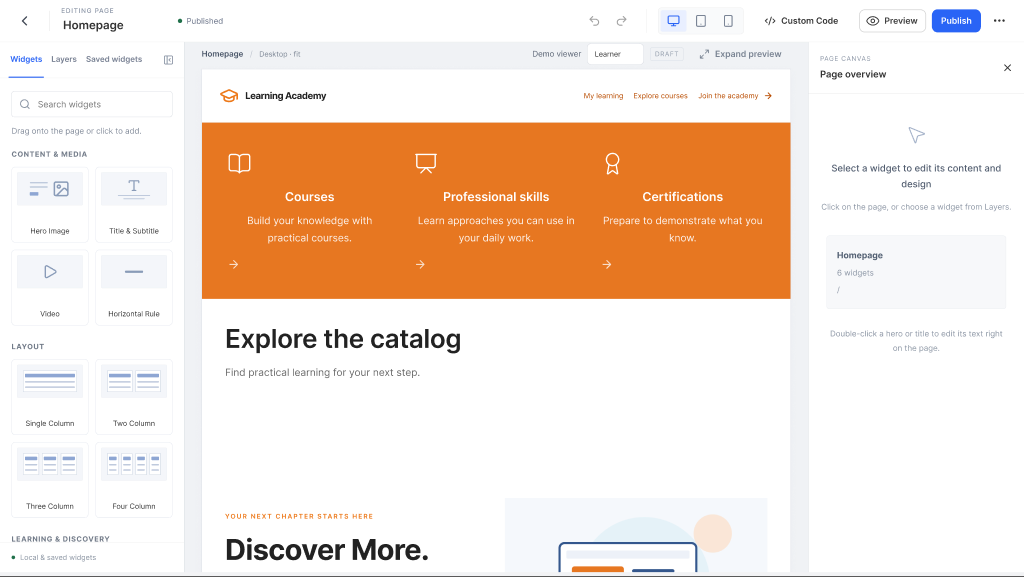
Page editor design. The surrounding controls stay close to the page being edited.
Reuse that carries changes across pages
Editing the same widget separately on every page creates repetitive maintenance. In the redesigned shared-widget model, an edit updates all pages using that widget.
That makes the scope of a change important. Page editing and shared-layout editing need to communicate where an update applies, especially before publishing.
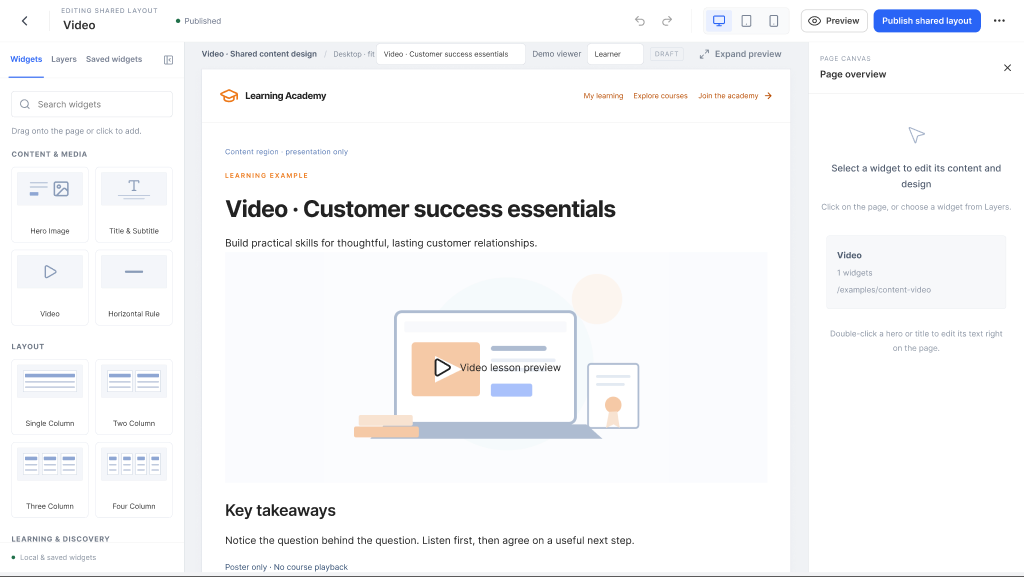
Shared-layout editing makes the reach of an edit visible. Shared layouts and synchronized widgets are related parts of the design, not interchangeable features.
The internal Customer Success team has tried the redesign and provided feedback. Customer testing is planned; improvements in ease of use remain a design intention rather than a measured result.
AI assistant: turn intent into visible choices
The product-strategy team initiated a new AI assistant. I designed the experience from scratch, working with the product manager and development team to turn the direction into detailed flows and interfaces.
One concrete challenge is interpreting a request without making the interpretation invisible. A query such as “Advanced sales courses under 30 min” becomes visible, removable filters for level, topic and duration.
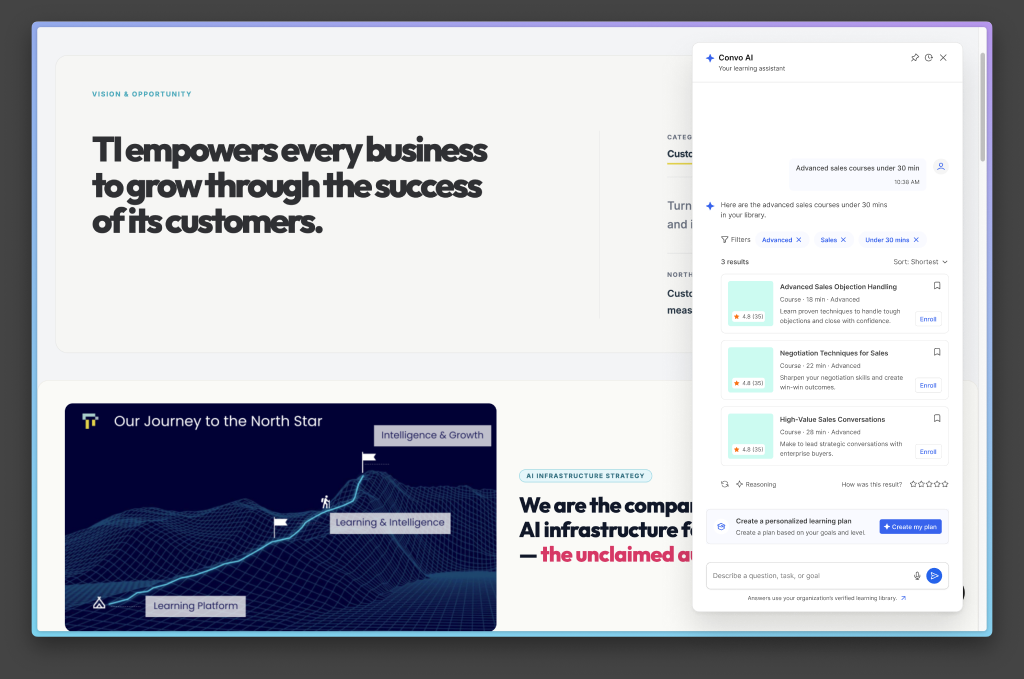
The Find exploration translates a request into inspectable filters and relevant learning results. Example results are design content.
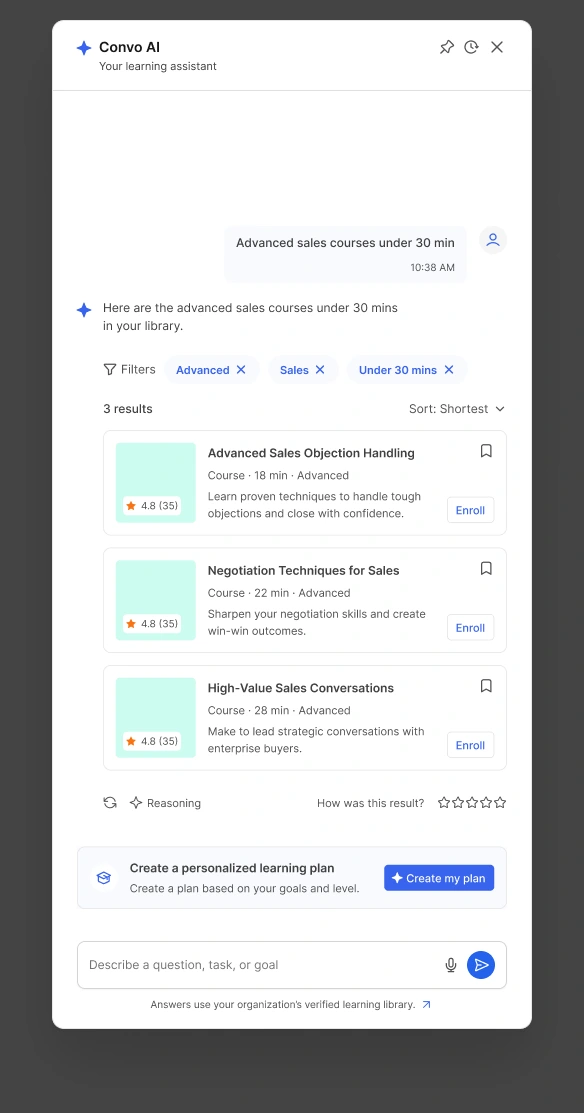
The assistant panel in isolation. The interpretation is visible before the learner chooses a result; ratings and course details are sample design content.
Keep discovery connected to the next action
Finding a result is useful when the learner can tell what to do with it. Result cards include context such as format, duration and level, alongside actions suited to the content: continue, read, enroll or register.
The assistant stays beside the current page, keeping the learner’s context in view. The experience is now in engineering; it is not presented here as a launched product or evidence of learning outcomes.