Selected work / Enduvo
Helping teams manage immersive learning.
Designing the web workflows around immersive content: organizing experiences, creating playlists and keeping the people and details behind each experience in view.
- Contribution
- Product design · Creator, viewer and admin experiences
- Timeframe
- 2022–2023
In this case study
Separate creating from consumingGive related experiences a shared homeKeep the experience and its context togetherSeparate creating from consuming
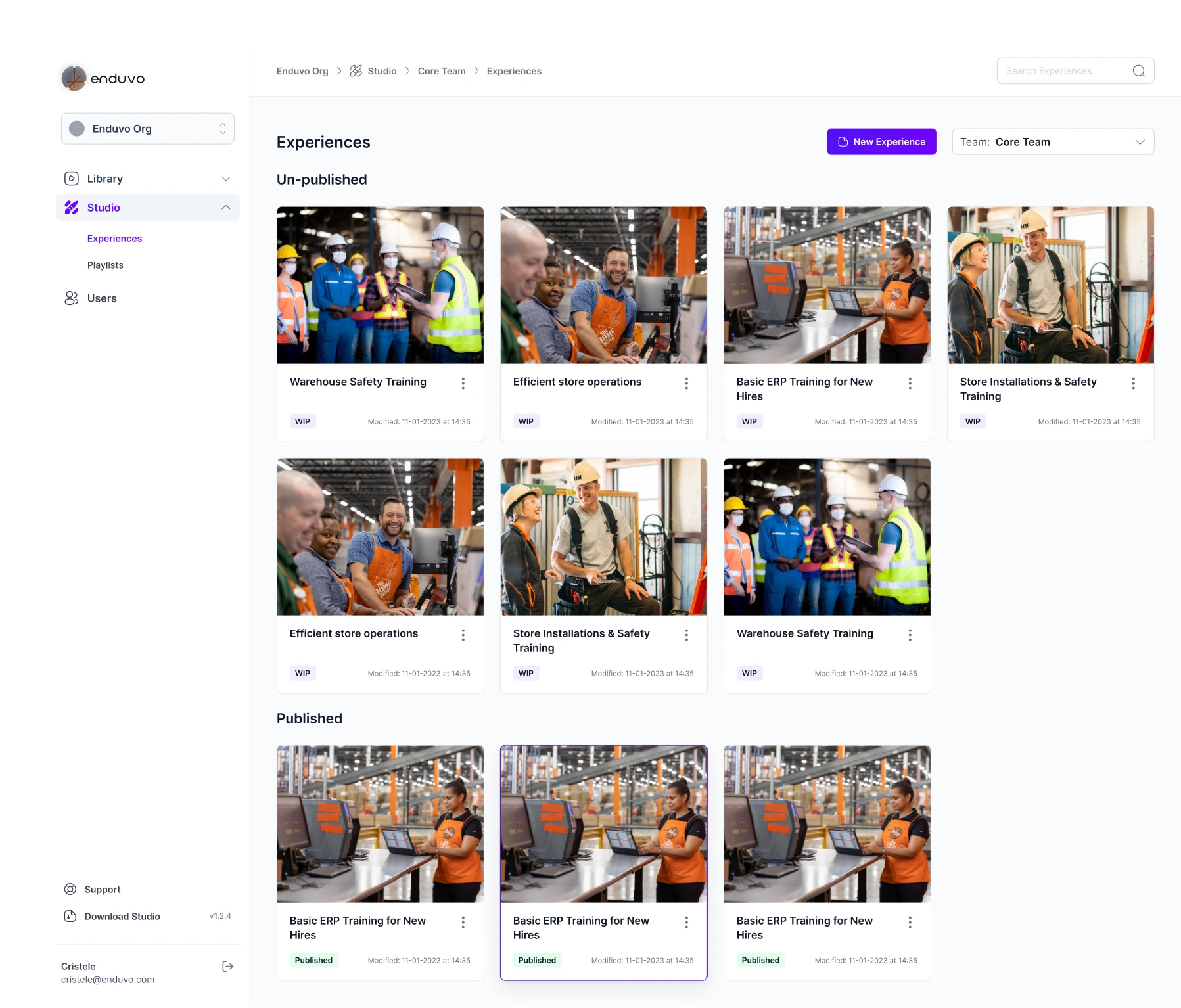
Creators need a place to organize work in progress. Viewers need a library of experiences they can use. The SaaS P1 navigation gives those jobs distinct homes: Library for discovery and Studio for creating and managing content.
Inside Studio, the experience library keeps team context visible and separates unpublished work from published content. Cards pair recognizable training imagery with a title, status and last-modified information, helping creators identify the right experience before opening it.
Give related experiences a shared home
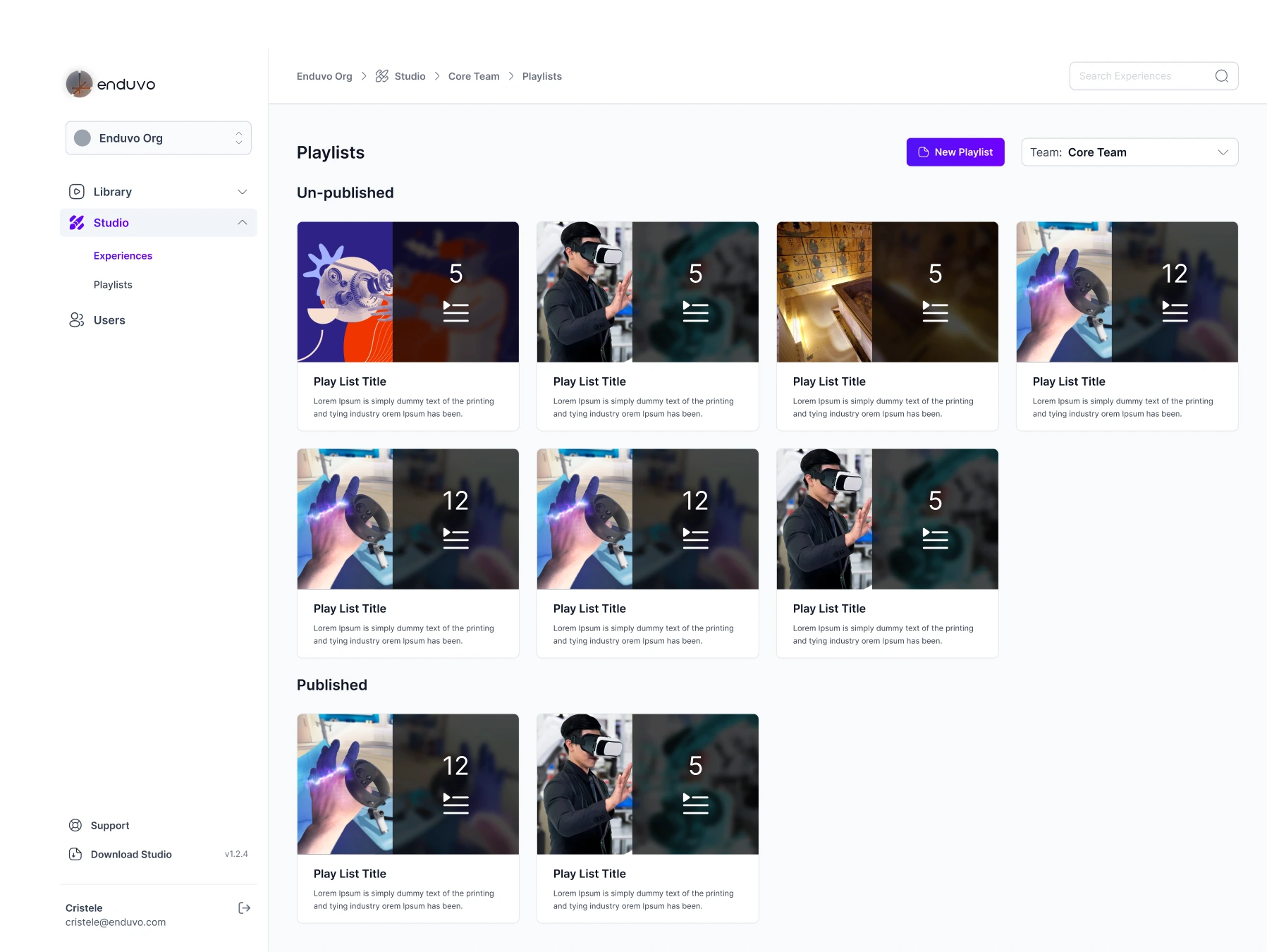
A playlist brings individual experiences into a collection. It needs to communicate both the subject and the amount of content inside, without asking someone to open every collection.
The playlist cards combine imagery with an experience count. Published and unpublished groups follow the same structure as the experience library, so creators can move between the two views without learning a new organization pattern.
Keep the experience and its context together
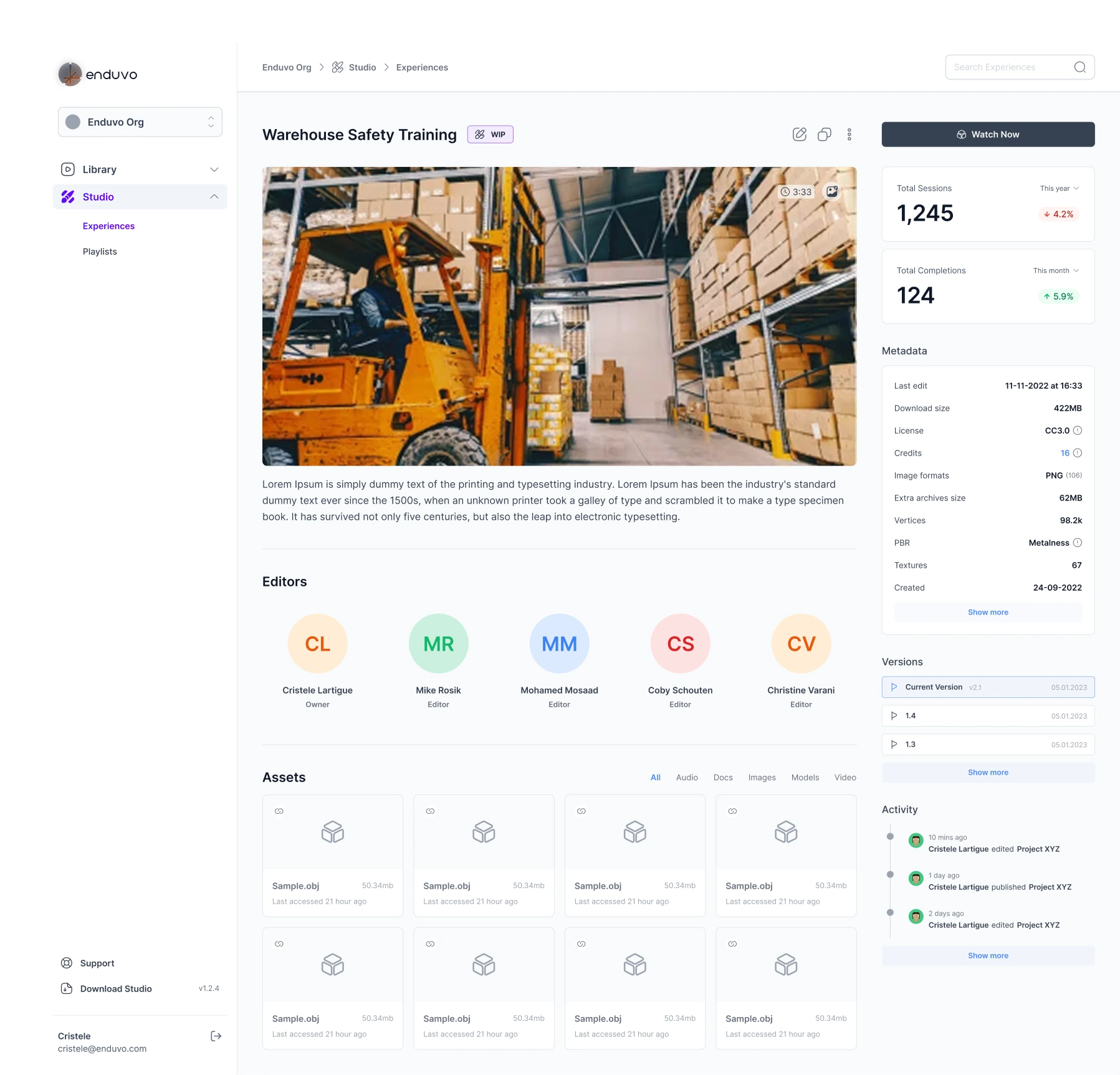
The detail view connects the training content with the people and files behind it. Editors and their roles sit alongside the experience, while assets can be browsed by type.
Metadata, version history and recent activity provide context for changes. Keeping these details in the same view helps a creator understand what they are working with before editing or opening the experience.
These screens document the phase-one design. They show the intended product workflows; they do not establish that every depicted capability shipped.